
How to Locate the Serial Number on your device
NOTE: Please verify that you are locating the serial number from your CPAP, BiLevel PAP or Ventilator Device directly and not any attached humidifier (the water reservoir/tank).
System One 50 Series
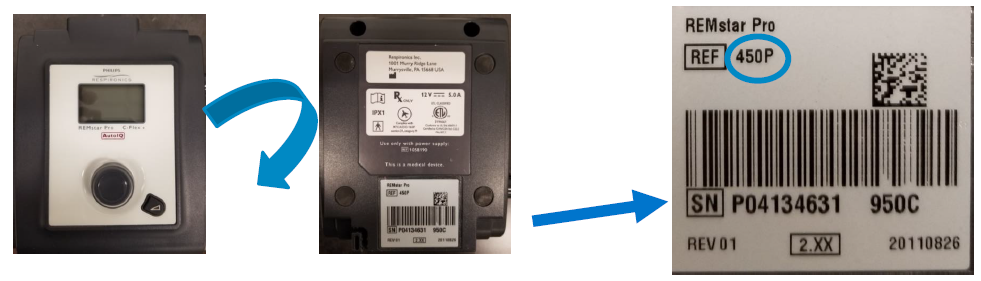
Serial Number: The complete Serial Number includes the 4 characters to the far right (ex: 950C)
Device Manufacture date in YYYY/MM/DD format. This device was manufactured on 8/26/2011
System One 60 Series
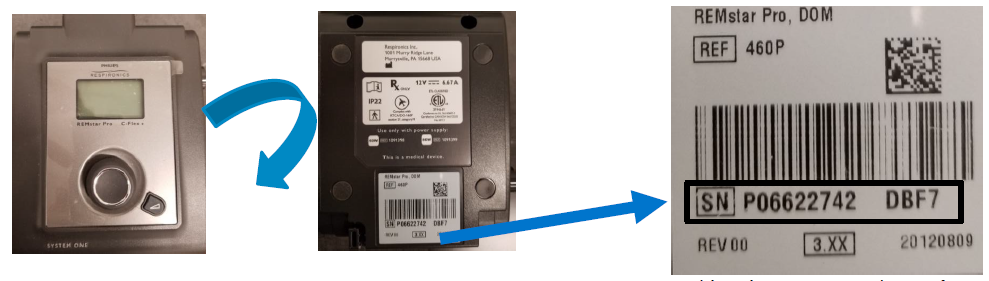
Serial Number: The complete Serial Number includes the 4 characters to the far right (ex: DBF7)
Device Manufacture date in YYYY/MM/DD format. This device was manufactured on 8/9/2012
DORMA/SE
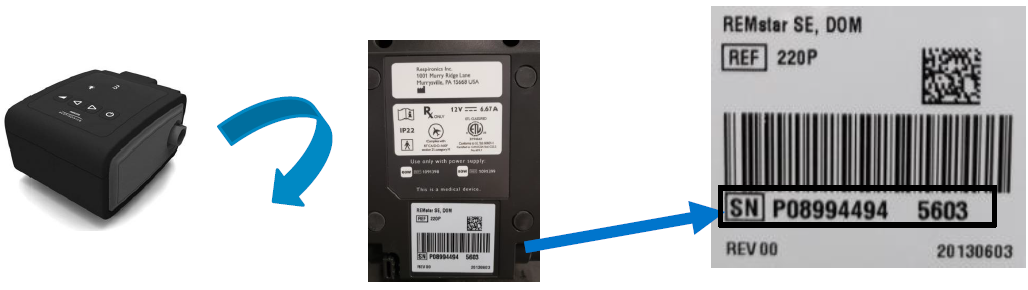
Serial Number: The complete Serial Number includes the 4 characters to the far right (ex: 5603)
Device Manufacture date in YYYY/MM/DD format. This device was manufactured on 6/3/2013
C Series and 60 Series: (BiPAP S/T and BiPAP AVAPS)
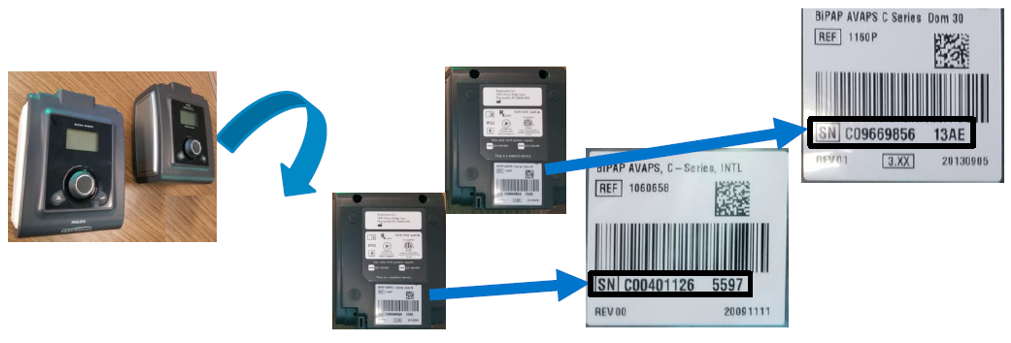
Serial Number (Top): The complete Serial Number includes the 4 characters to the far right (ex: 13AE)
Serial Number (Left): The complete Serial Number includes the 4 characters to the far right (ex: 5597)
DreamStation
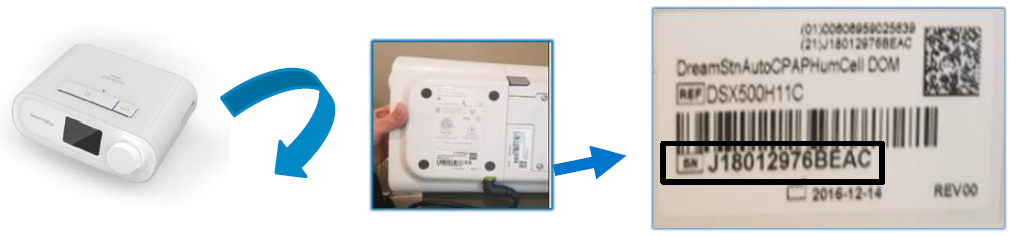
Serial Number: The complete Serial Number includes the 4 characters to the far right (ex: BEAC)
Device Manufacture date in YYYY/MM/DD format. This device was manufactured on 12/14/2016
DreamStation Go
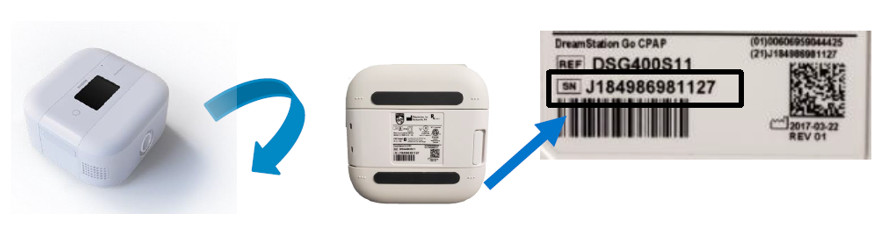
Serial Number: The complete Serial Number includes all characters
Device Manufacture date in YYYY/MM/DD format. This device was manufactured on 3/22/2017
A-Series BiPAP
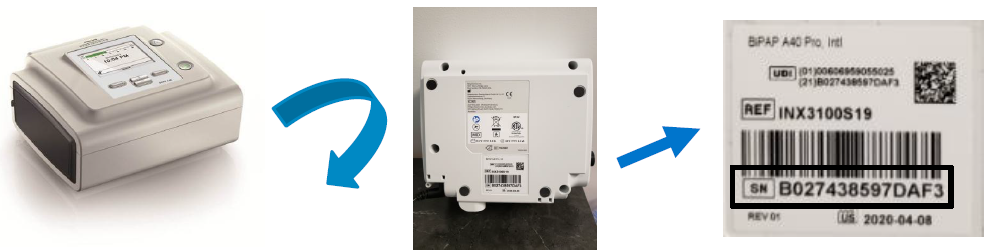
Serial Number: The complete Serial Number includes the 4 characters to the far right (ex: DAF3)
Device Manufacture date in YYYY/MM/DD format. This device was manufactured on 4/8/2020
OmniLab Advanced+
Locate the Serial Number on the Label
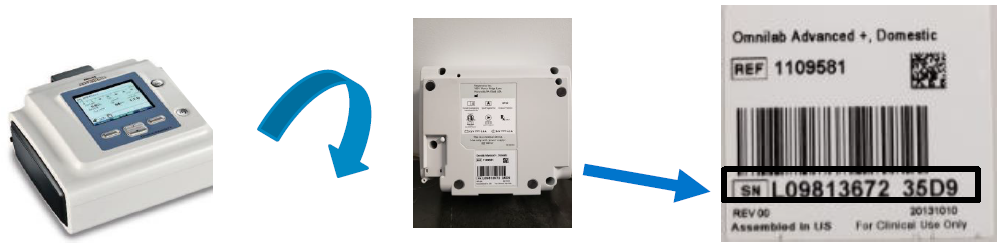
Serial Number: The complete Serial Number includes the 4 characters to the far right (ex: 35D9)
Device Manufacture date in YYYY/MM/DD format. This device was manufactured on 10/10/2013
Locate the Serial Number on the device display
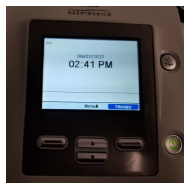
With the device in "Standby"…
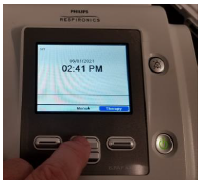
Press the "Up" arrow
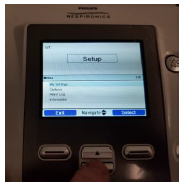
Scroll down (using the down arrow)…
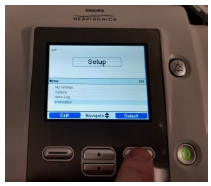
…until "Information" is highlighted, then hit "Select"
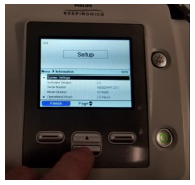
Scroll down through the menu…
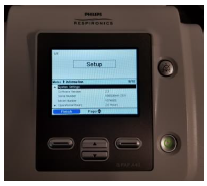
…until Serial Number is displayed
Trilogy 100 and 200
Locate the Serial Number on the Label
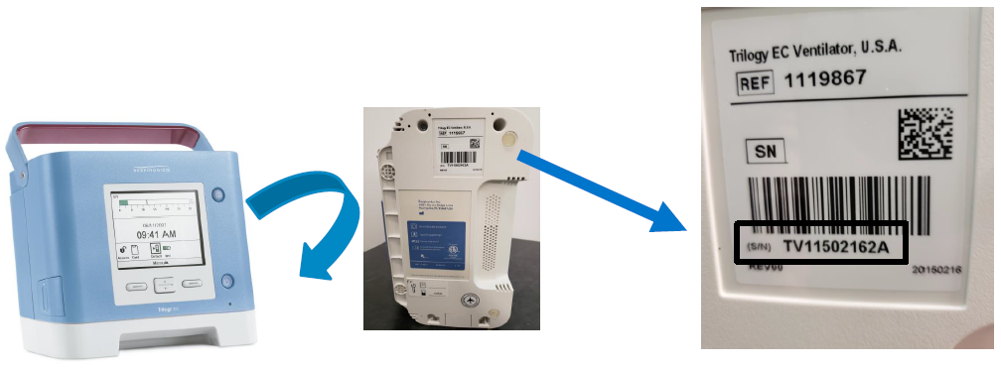
Serial Number: The complete Serial Number includes all characters
Device Manufacture date in YYYY/MM/DD format. This device was manufactured on 2/16/2016
Locate the Serial Number on the device display
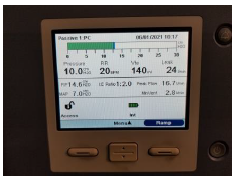
With the device ON, press the "UP" arrow
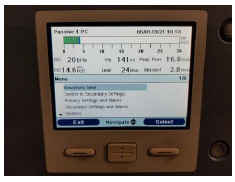
Scroll down using the down arrow…
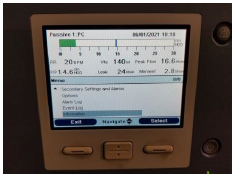
…until "Information" is highlighted
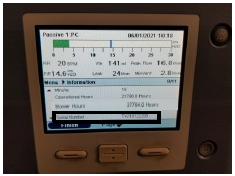
…and then scroll down (using the down arrow) until Serial Number is displayed
E30
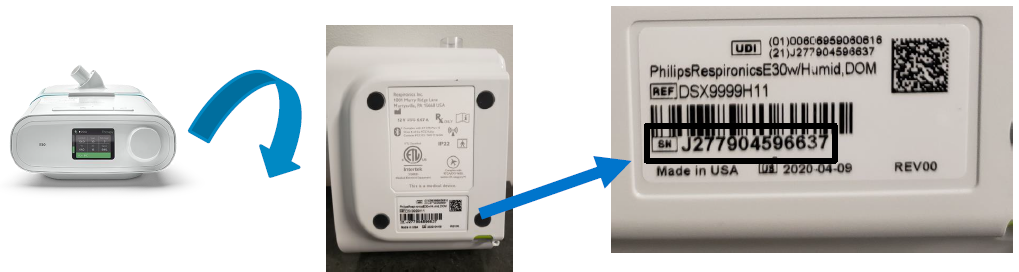
Serial Number: The complete Serial Number includes all characters
Device Manufacture date in YYYY/MM/DD format. This device was manufactured on 4/9/2020
V30
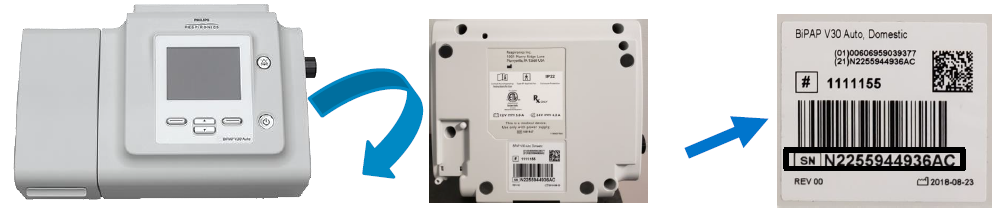
Serial Number: The complete Serial Number includes all characters
Device Manufacture date in YYYY/MM/DD format. This device was manufactured on 8/23/2018